
- PROCEDURE:
- Before starting the operation check for the area cleanliness and instrument cleanliness.
- Connect the pin to the power supply.
- Switch on the power.
- The instrument displays the Main Menu.
- Choose the mode menu either ‘USP or User’ by pressing Digit scroll key.
- Press the method key to set USP 1 or USP II.
- CONDITION I (If as per USP 1)
- Stroke Height: 14mm ± 2 mmStrokes/Min: Nominal 300 times
- Tap count 1 : 500 times
- Tap count 2 : 750 times
- Tap count 3 : 1250 times
- Press set key, to set tap count 1 to 500 by using Digital scroll and increase/decrease key.
- Press enter key, set tap count 2 to 750 by using Digital scroll and increase/decrease key.
- Press enter key, set tap count 3 to 1250 by using Digital scroll and increase / decrease key.
- Press enter key, set clock time using Digital scroll and increase / decrease key.
- Press enter key, set date by using shift key and increase / decrease key.
- Press enter key, it will ask for “Print last result “if you need shift cursor to Y otherwise to N.
- Press enter key.Press reset key, now your method get saved as per USP 1.
- Press start key, input weight of sample by using shift key and increase / decrease key in grams.
- Press enter key, input initial volume (Vo) by using shift key and increase / decrease key in ml.
- Keep the cylinder in Holder and press start key; it will give a taps for 500 times.
- Measured tapped volume (Va) and input by using shift key and increase / decrease key.
- Press enter key and press start key. It will give a taps for 750 times.
- Measured tapped volume (Vb) input by using shift key and increase / decrease key.
- Note: If the difference volume of 1 st tap and 2 nd tap i.e. Va – Vb is more than 2% then proceed for tap count 3 i.e. 1250 times by same manner. Measure the final volume (Vf)
- If the difference volume is not more than 2% stop the experiment in Tap count 2 only.
- Give the connection to printer and go to printing mode by using SET and Enter Key.
- Set printing mode to Y, automatically printing will come.
- We can get tap density Initial Density, compressibility Index and Hausner Ratio.
Click the link to download word file copy of this document:
https://pharmaguidehub.com/product/operation-of-tap-density-apparatus/
- CONDITION II (if as per USP II):
- Stroke height: 3mm+/-10 %
- Strokes/min: Nominal 250 times
- Tap count 1: 500 times
- Tap count 2: 750 times
- Tap count 3: 1250 times
- Proceed same as for condition 1.
- CONDITION III (if as per user mode):
- Set the mode to ‘User’ by using digital scroll keys.
- Press set key, set taps count as per the product specification.
- Press start key to start the tapping.
- Measured the volume and calculate manually.
- Calculate the bulk density of the sample according to the formula given below.

- Switch off the instrument after usage.
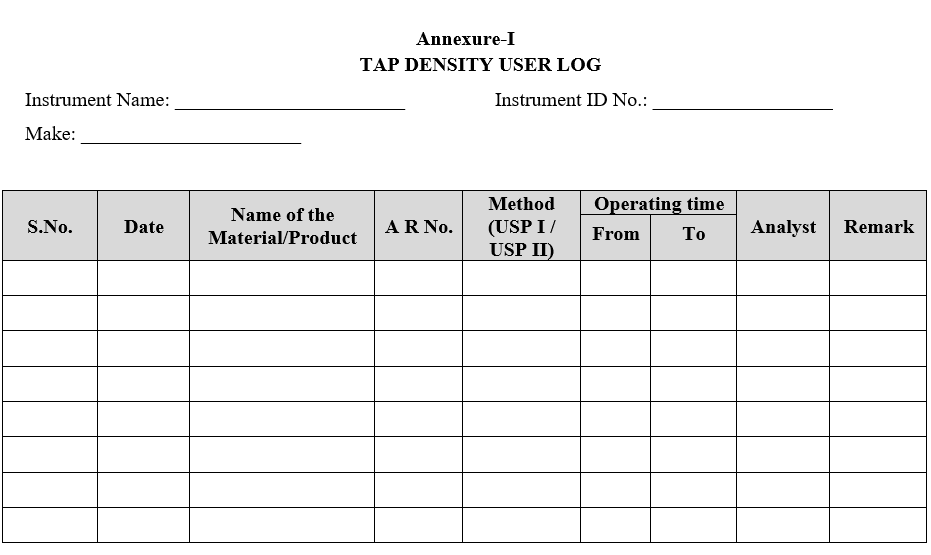
- Enter the details of usage in the logbook.
- ANNEXURES:
| ANNEXURE NO. | TITLE OF ANNEXURE |
| Annexure-I | Tap density user log |
Annexure-I
Click the link to download word file copy of this document:
https://pharmaguidehub.com/product/operation-of-tap-density-apparatus/